
Download YouTube to MP4 – Convert YouTube Video to MP4, Download YouTube Videos, MP4 Converter, Offline Video Player
Overview
YouTube to MP4 is a dedicated utility tool designed to simplify the process of converting YouTube videos into the widely compatible MP4 format. Its primary purpose is to allow users to download and save videos from YouTube for offline viewing, eliminating the need for constant internet connectivity. This functionality is particularly valuable for users who want to enjoy their favorite content during commutes, travel, or in areas with limited network access. The app addresses common compatibility issues that arise when attempting to play YouTube videos on non-supported devices or media players by standardizing output to the MP4 format, which is universally recognized across smartphones, tablets, smart TVs, and other playback devices.
Target users include casual viewers, content creators, educators, and anyone seeking a straightforward way to archive or repurpose YouTube content. The app’s developer, Joe C. Jones, has positioned it as a lightweight, free solution for a common digital need. Although specific background information about the developer was not provided beyond the name, the app’s longevity—first released in 2016—suggests a stable, user-tested product. In the broader app ecosystem, YouTube to MP4 fills a niche gap between video consumption and content ownership, offering a practical tool for personal media management.
Key Features & Functionality
- Easy Conversion Process: The app enables users to convert YouTube videos to MP4 with minimal steps, reducing technical barriers for non-expert users. Simply paste a YouTube URL, and the tool initiates conversion, streamlining the workflow for frequent users.
- Wide Compatibility Output: By exporting files in the MP4 format, the app ensures seamless playback across a broad range of devices and media players, including those that do not support YouTube’s native formats.
- High-Quality Video Preservation: During conversion, the app maintains the original video resolution and audio clarity, preserving visual and auditory fidelity for an optimal viewing experience.
- Fast Download Speeds: The tool processes conversions quickly, depending on network speed, allowing users to save videos in a short time frame for immediate offline use.
- User-Friendly Interface: The clean layout and intuitive navigation make the app accessible to users of all technical levels, minimizing the learning curve and reducing user frustration.
For example, a student might use the app to download educational lectures from YouTube for review during offline study sessions. Similarly, a traveler could convert a long-form documentary into MP4 format before a flight to enjoy uninterrupted viewing. These real-world applications highlight the app’s practical value in everyday digital life.
Interface, UX & Performance
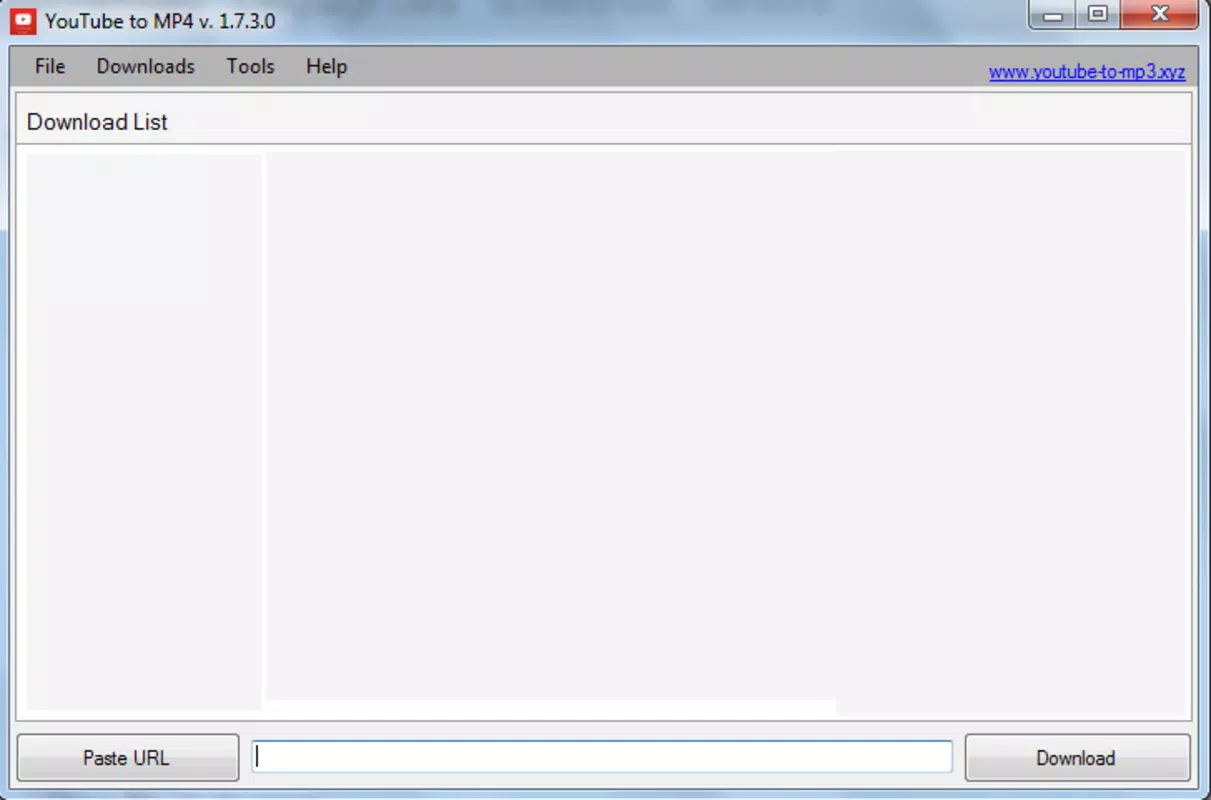
The user interface of YouTube to MP4 is designed with simplicity and efficiency in mind. The layout features a central input field for YouTube URLs, accompanied by clear buttons for initiating conversion and managing downloads. Navigation is linear and predictable, reducing the chance of user errors. The visual style is minimalistic, avoiding unnecessary graphics or clutter that could distract from the core function.
Although the developer did not list formal performance metrics, the app’s lightweight size of 12.5 MB suggests optimized resource usage. It is expected to run smoothly on mid-range Android devices, though performance may vary depending on device capabilities and network conditions. Responsiveness appears to be consistent, with minimal lag during URL input and conversion initiation. Stability is likely maintained through years of updates, given the app’s release history. However, specific details about crash rates, background processing, or battery impact were not disclosed.
Platform Compatibility & Technical Requirements
YouTube to MP4 is available exclusively on the Android platform. The current software version is 2.3, with a file size of 12.5 MB. The app is offered free of charge, making it accessible to a broad audience.
The developer did not specify minimum OS requirements or compatibility details for specific Android versions, nor did they list hardware prerequisites. As such, users are advised to test the app on their devices to confirm functionality. The absence of detailed technical specifications does not indicate a flaw but reflects a general release strategy focused on broad accessibility.
Pros and Cons
Pros
- Free to download and use, with no in-app purchases or hidden fees.
- Simple, intuitive interface suitable for users of all experience levels.
- Converts YouTube videos to MP4 format for universal playback compatibility.
- Preserves original video quality during the conversion process.
- Fast conversion and download speeds, ideal for time-sensitive use cases.
Cons
- Developer did not provide detailed information about OS compatibility or device requirements.
- No visible option for selecting video quality or resolution during conversion.
- Platform availability is limited to Android; no iOS or other OS support was mentioned.
- Specific permissions or data handling practices were not disclosed.
- Update frequency and long-term development roadmap are not publicly available.
FAQ
Is YouTube to MP4 safe to download and use?
The app is available for free on Android, but users should ensure they download it from trusted sources. Since it involves accessing external content from YouTube, users should be aware of third-party usage policies.
Can I convert videos to formats other than MP4?
Based on available information, the app only supports MP4 output. No alternative formats were listed in the provided details.
Does YouTube to MP4 work on iOS devices?
The app is currently available only on Android. No official iOS version or alternative platform support was mentioned.
How do I update YouTube to MP4?
Updates are typically delivered through the Google Play Store. Users should check for updates directly in the app store if they wish to access the latest version.
Is my data stored or shared when using this app?
The developer did not disclose specific data collection or sharing practices. Users are advised to review privacy policies or contact the developer directly for transparency.
Final Thoughts
YouTube to MP4 delivers a focused, reliable solution for converting YouTube videos into a universally compatible format. Its lightweight design, ease of use, and commitment to high-quality output make it a practical tool for anyone seeking to enjoy YouTube content offline. While it lacks advanced customization options and detailed technical disclosures, its core functionality is executed efficiently. The app remains a valuable utility in the Android productivity space, particularly for users who prioritize simplicity and compatibility. For those looking to download YouTube videos and play them seamlessly across devices, this tool offers a straightforward, no-frills approach.
Download YouTube to MP4 now


